Keep your own voice.
Edit your opening. Keep a line from rehearsal. Choose words you would actually say.
 first move
A little preparation. A real next step.
For the conversation you’ve had
a hundred times. In your head.
An iPhone app in the making. Try the approach below.

“Hey, could we
talk about something?”
01 / Get it out of your head
You don’t need the whole conversation figured out. Find a first sentence and a step you can actually take.
An interactive example using prepared copy.
No live AI, account, or personal details needed.
Their friends stay late. You have class early. You keep hoping it will sort itself out.
They must know this is bothering me.
What you knowLate-night guests are affecting your sleep. You haven’t talked about it yet.
What you don’t know yetWhether your roommate knows the effect on you.
Could we talk about late-night guests? I’m losing sleep before class, and I’d like us to find a routine that works for both of us.
02 / A place to try the words
Prepare privately.
Keep what sounds like you.
Take it into your life.
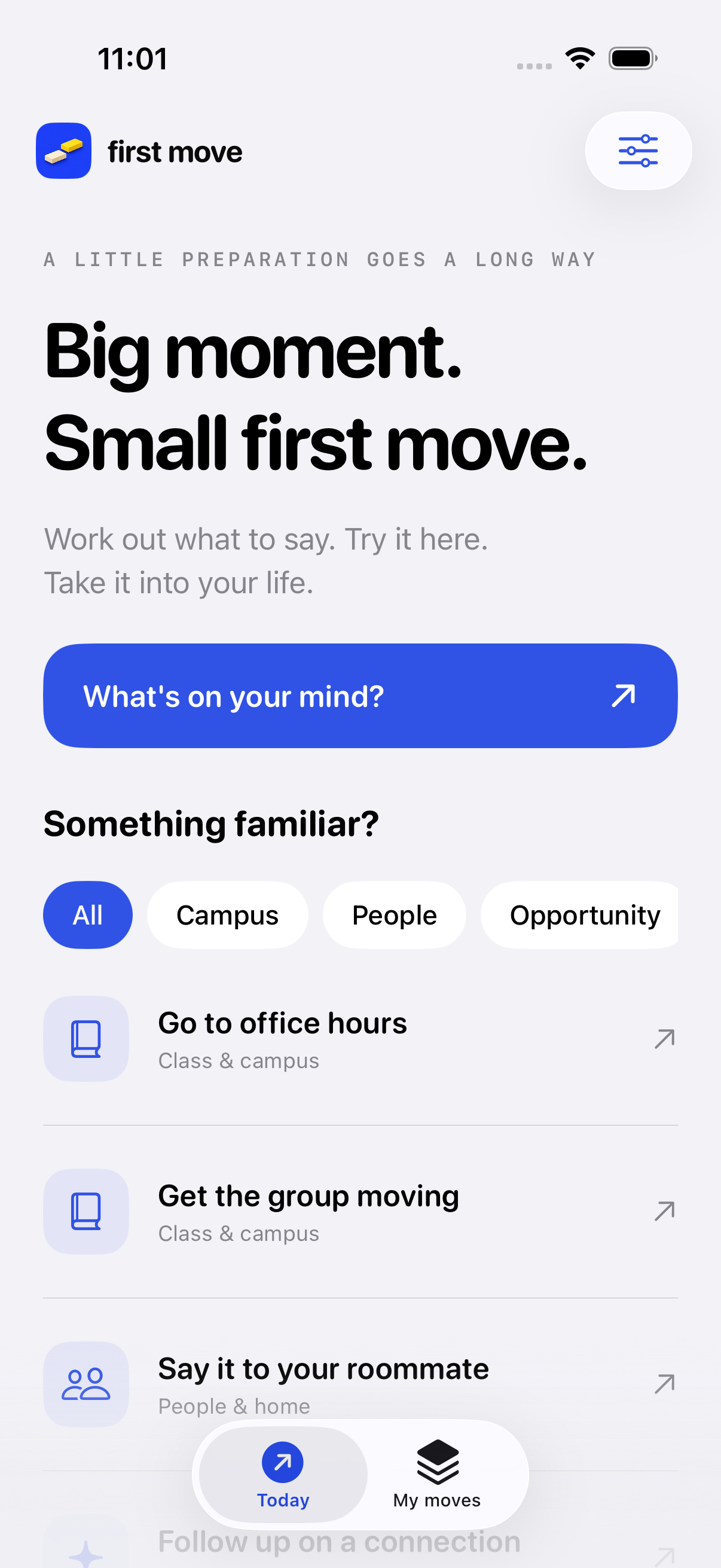
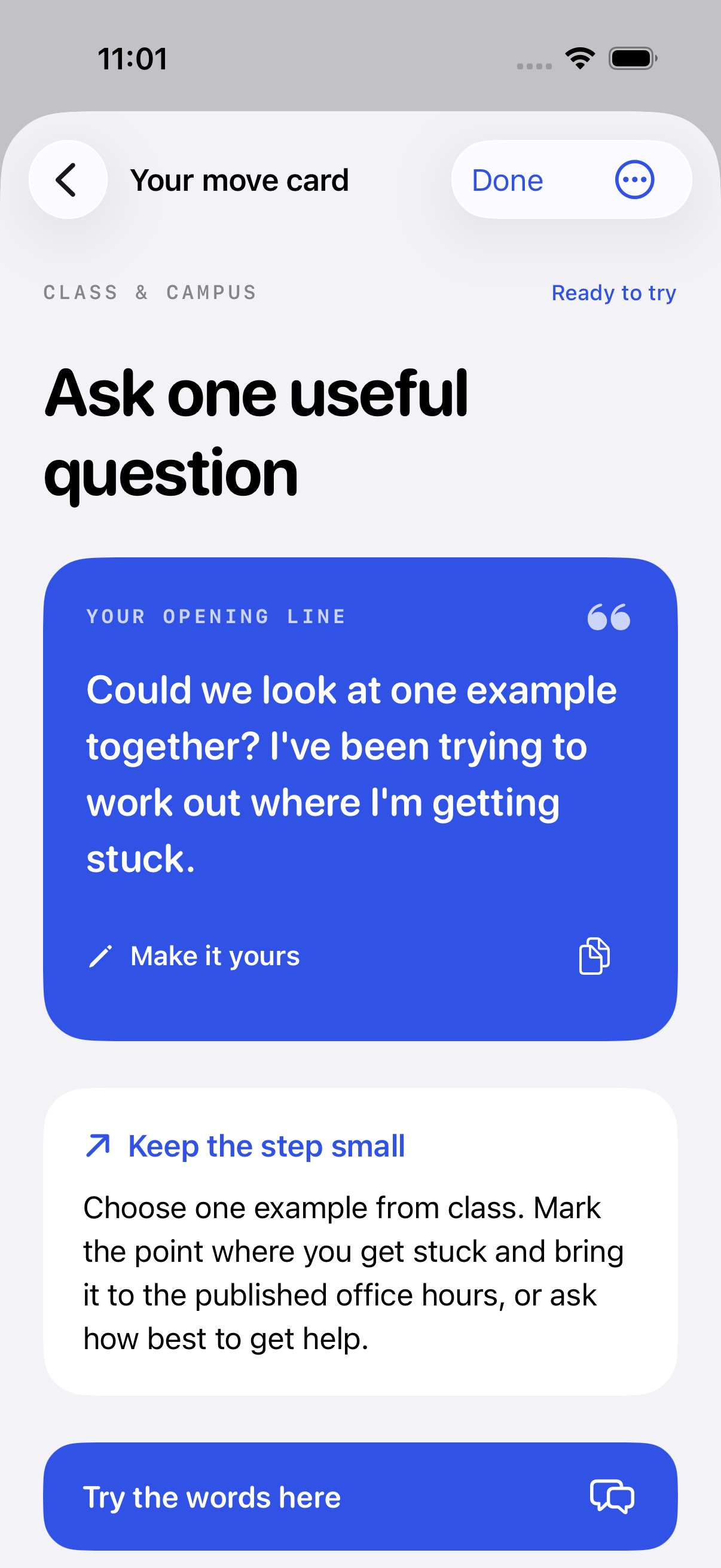
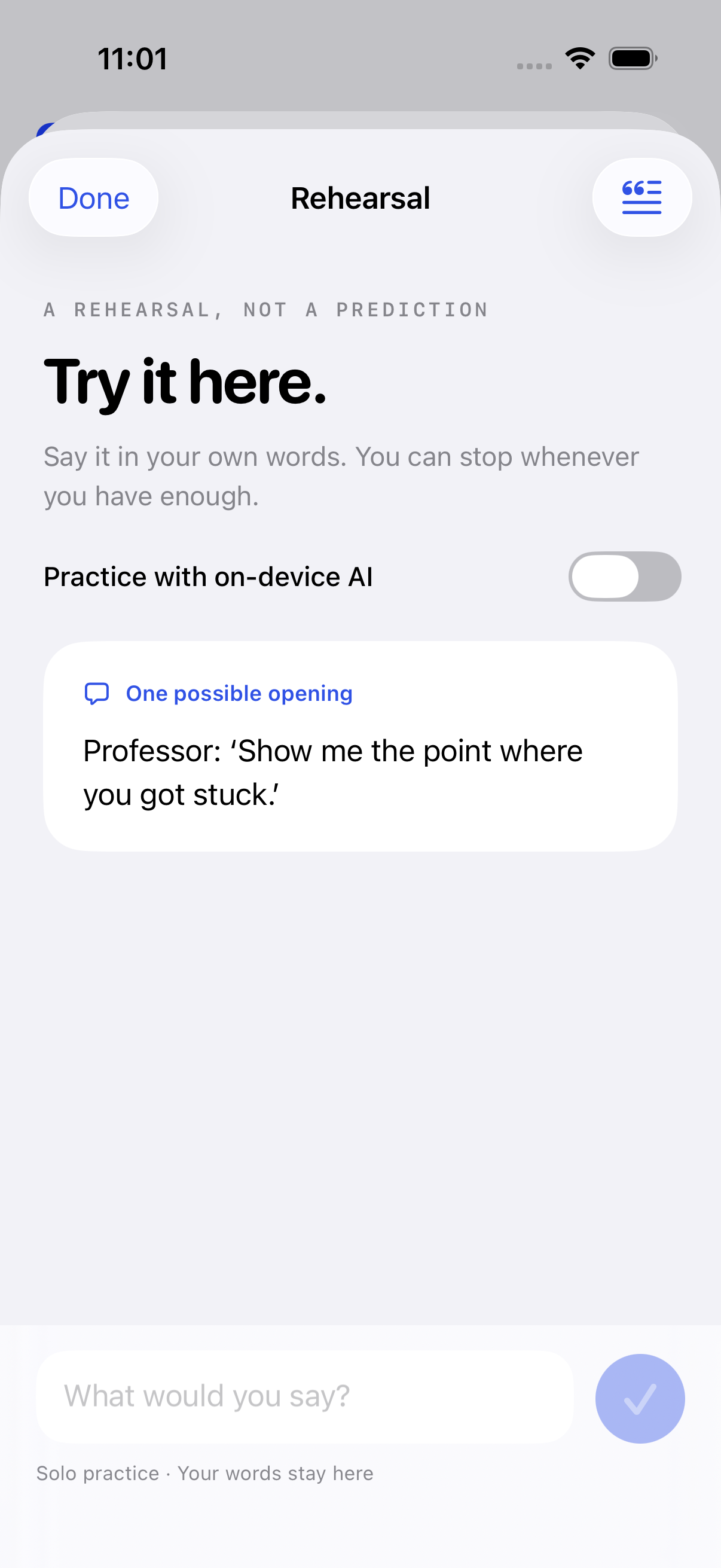
Actual early-build screens. Fictional examples. Features and design may evolve.
03 / You’re the one living it
First Move gives you room to prepare, change your words, and choose what happens next.
See how it worksEdit your opening. Keep a line from rehearsal. Choose words you would actually say.
A next step can be asking one question, gathering information, or choosing to pause.
Moves save on your device. Optional Apple Intelligence helps with phrasing and fictional rehearsal on supported devices.
A few things worth knowing
First Move is in early development. It isn’t publicly available on the App Store or TestFlight yet. You can try the prepared example on this page or .
A structured preparation framework provides the next-step structure. Optional on-device Apple Intelligence helps phrase your opening and play a fictional counterpart in rehearsal. AI can misunderstand situations. Its replies are possibilities, not predictions.
The current build supports guided preparation and solo rehearsal on iOS 18 or later. AI needs a compatible Apple Intelligence device, iOS 26 or later, and Apple’s model to be ready. A cloud AI fallback is not included.
You choose whether and how to use the words. First Move doesn’t send messages or contact anyone on your behalf. Sharing a card or exporting your moves is an explicit action you control.
Your saved situations, rehearsals, and reflections stay on your device. The current app has no account or cloud-library sync. Apple device backups depend on your settings. See our privacy details.
Our mission is to help students meet unfamiliar moments with wisdom, courage, and care. Our foundation is Christian, and the everyday experience welcomes students of every belief. Read our foundation.
Think clearly. Take one brave step.
Early build. Made for college life.